
Open Chat - AI bot app
AceTools TeamProductivity
4.62.72K Reviews
- Version
- 1.4.0
- Installs
- 50.00M
- Age Rating
- Everyone
Screenshots
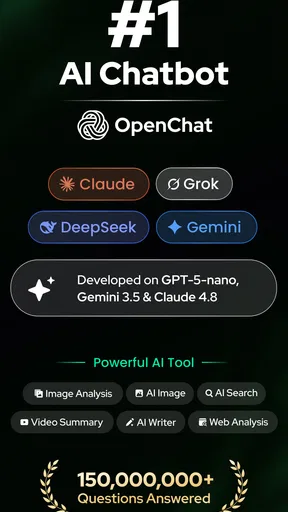
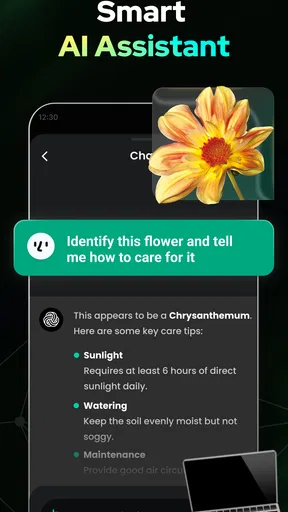
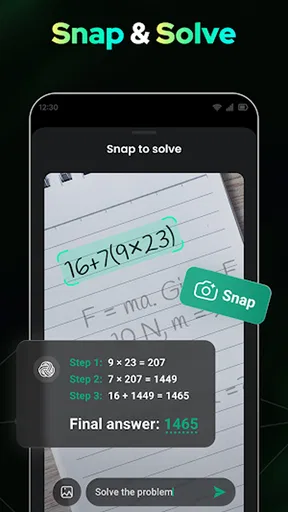
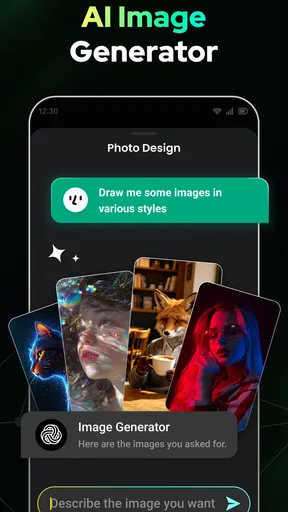
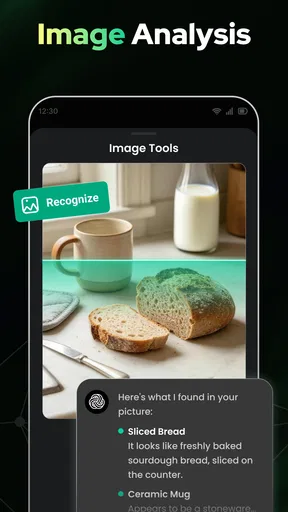
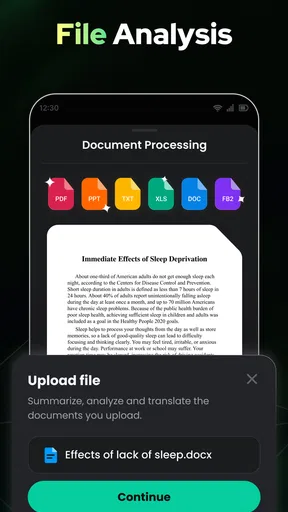
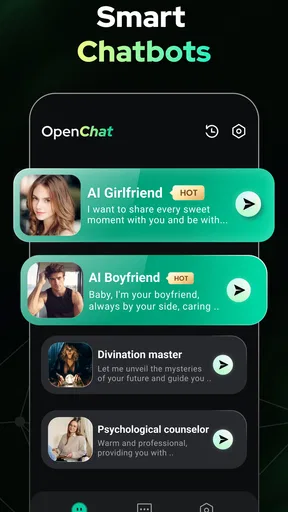
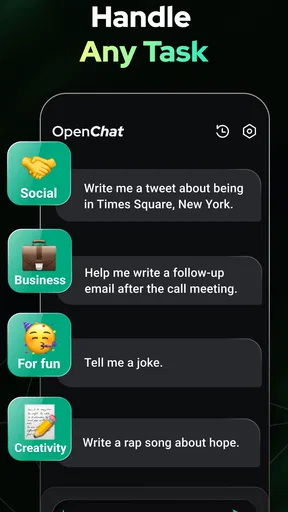
Our Review of Open Chat - AI bot app
 Analysis by Appyee
I reach for Open Chat - AI bot when I have a small question, a half-formed idea, or a blank page and want a quick conversational starting point. It is a productivity app from AceTools Team, though its chat-first approach makes it feel less like a traditional planner and more like a flexible assistant. The key is to treat its replies as a first pass: useful for getting unstuck, but still worth checking before you rely on them.
From a vague question to a useful first draft
A practical way to use the app is to begin with the task you actually need to finish, rather than asking for a general conversation. For example, if I need to write a polite message about rescheduling an appointment, I can explain the situation, say who the message is for, and specify the tone I want. The response is then easier to shape than a generic request to “write an email.”
I also find it helps to give the assistant boundaries. Mention the intended reader, the length you have in mind, and any points that must stay unchanged. Then review the answer for names, dates, promises, or details that matter. This makes the chat more like a drafting partner than an automatic decision-maker, and it reduces the chance that a fluent-sounding response will slip an unsupported detail into something I plan to send.
Small everyday jobs suit the chat format
For a busy morning, I could use a conversation to turn a rough list of errands into a sensible order, or ask for a few lunch ideas based on ingredients I already have. For work or study, it can help me outline a short explanation, rephrase a paragraph, or come up with questions to guide research. These are good fits because I can judge the result quickly and ask a follow-up if the first answer misses the mark.
That back-and-forth is more valuable than expecting a perfect reply on the first try. If the answer is too formal, too long, or too broad, I can say what should change. A useful habit is to correct one thing at a time: first the audience, then the tone, then the length. It gives the conversation direction and makes it easier to spot whether the assistant has understood the real task.
Where it sits among productivity tools
Compared with a notes app, this is better for turning a question into a draft than for keeping a carefully organized archive. Compared with a search engine, it gives a direct response in conversational form, but that convenience does not make every factual answer dependable. And unlike a dedicated task manager, a chatbot is not the place I would rely on to track deadlines or maintain a dependable schedule. I would use those tools for their specific strengths and bring this app in when I need wording, ideas, or an explanation.
The app is free to install, with in-app purchases listed from $4.99 to $59.99 per item. It has a 4.7 average from around 116,000 ratings and over 10 million installs, which suggests that many people have tried it, though popularity alone cannot tell me whether it suits my routine. It is rated for Everyone, and version 1.2.5 requires Android 6.0 or later. The release date is April 21, 2023.
One trade-off to keep in mind is that a chat can feel productive while leaving the actual work unfinished. A suggested outline still needs my judgment; a rewritten message still needs a final read; and a confident answer may need checking against a reliable source. I would avoid putting sensitive personal or work details into any AI conversation unless I was comfortable with how that information might be handled. The app’s privacy wording in the published review should not be treated as a substitute for checking the current policy and settings yourself.
A sensible handoff from AI to your own tools
My best workflow is to ask for a draft, transfer the parts I want into the app where the final work belongs, and then edit there. If the chatbot helps me shape a meeting agenda, I would move the finished points into my notes or calendar rather than assume the conversation itself will manage the meeting. If it suggests a recipe, I would check the ingredients and adapt them to what I have. That handoff keeps the assistant useful without asking it to do jobs it was not designed to replace.
This approach also answers a common practical question: can I use it for serious work? I would, for low-risk preparation such as brainstorming, outlining, or polishing a message, but not as the sole authority for legal, medical, financial, or other consequential decisions. For facts that need to be current or exact, I would verify them elsewhere. If I need reliable citations, persistent project organization, or a record I can search later, a specialist tool is likely a better fit.
Hey there! So, I got my hands on this app called Open Chat - AI bot, and let me tell you, it's quite the conversationalist. If you’ve ever wanted to chat with an AI that’s smart enough to keep up with your random musings or even help you out with some of life's little problems, this might just be the app for you. Let’s dive into what makes this app tick and why you might want to give it a whirl.
Getting Started with Open Chat
First things first, downloading Open Chat - AI bot is a breeze. Whether you’re an Android aficionado or an iOS enthusiast, you’ll find it available on both platforms. Once installed, you're greeted with a simple interface that's all about getting you straight into a conversation. No complicated setup or endless permissions to wade through – a refreshing change if you ask me.
Interface and Usability
The design is sleek and straightforward. You’ve got your chat window taking up most of the screen, which is exactly what you want when you’re here to chat. The controls are intuitive, and navigating through the app feels natural. There's a minimalistic vibe to it, which I personally love because it keeps the focus on the conversation itself.
One cool feature is the ability to customize your chat experience. You can tweak the settings to adjust how formal or casual the AI responds to you. It’s like having a digital buddy who can adapt to your mood – pretty neat, right?
Conversations and Capabilities
Now, let’s talk about the main event: the conversations. The AI bot in Open Chat is surprisingly adept at understanding context and providing relevant responses. Whether you’re asking it about the weather, seeking advice on what to cook, or just having a random chat about your day, it’s got you covered.
The app also includes a handy list of suggested topics if you’re ever at a loss for words. It can even provide jokes, trivia, and interesting facts. I spent a good chunk of time testing its knowledge on various subjects, and it handled most of my queries with ease. It’s not perfect, of course, but it’s pretty impressive for an app-based AI.
Privacy and Security
In today’s digital age, privacy is a big deal, and Open Chat seems to take it seriously. The app doesn’t require personal information beyond the basics necessary for its functionality, and it assures users that conversations are not stored. This gave me some peace of mind while chatting away.
Why You Should Try It
If you enjoy having someone (or something) to chat with that won’t judge you, this app is worth a shot. It’s not just about idle chit-chat either. You can genuinely learn things or get a new perspective on everyday topics. Plus, it’s a great way to kill time while keeping your brain engaged.
The app is also pretty good at keeping up with trending topics and current events, so it feels like you’re talking to a well-informed friend. If you’re ever bored or just need a break from human interaction, this AI bot is a solid companion.
Overall, Open Chat - AI bot is a fun and handy app to have on your device. It’s not going to replace real human interaction anytime soon, but it’s certainly an entertaining and sometimes insightful substitute. Give it a try and see how well it meshes with your chat style. Who knows, you might just find your new favorite digital buddy!
When a different tool is the better choice
I would skip a chat assistant if my main need were long-term project tracking, automatic reminders, or a searchable knowledge base. A conversation is naturally good at exploring an idea, but it can become awkward when I need to retrieve a specific decision from weeks ago or see every task at a glance. A notes system, calendar, or task manager is more dependable for that kind of ongoing record.
Likewise, if I am comparing products, checking a changing policy, or preparing a report that needs traceable sources, I would start with a search tool or the original source material. A conversational answer can help me frame what to look for, but I would not mistake a smooth explanation for evidence. The useful handoff is to let the bot clarify the question, then confirm important claims somewhere authoritative.
Making the conversation work harder
One less obvious way to get better results is to treat a prompt like a short brief. Rather than asking for “ideas for a presentation,” I would explain the audience, the point I want them to remember, and what I already know. I can then ask for an outline and challenge the weakest section. This is more useful than collecting a long list of loosely related suggestions, because it turns the exchange into a decision process.
For writing, I would keep my original meaning visible while asking for changes. A request such as “make this warmer without changing the facts” gives the assistant a clearer boundary than simply asking it to improve a paragraph. I would compare the new version with my own, especially where the wording changes a commitment or softens an important caveat. The time saved comes from editing a draft, not from handing over responsibility for the final message.
There is also a useful distinction between asking for an answer and asking for a method. If I am trying to understand a topic, I might ask for a plain-language explanation followed by a few questions that test my understanding. If I only need a quick fact, that extra conversation may be needless. Choosing the shape of the help before typing keeps the app from turning a simple task into a longer exchange than it needs to be.
Who is likely to enjoy it
I think it is best suited to people who like conversational tools and have small, varied tasks: students shaping study notes, workers drafting routine messages, or anyone who wants a prompt for dinner ideas or a new angle on a problem. The chat format lowers the barrier to starting, and the adjustable tone can make the result feel more appropriate to the task. It is especially handy when I know what I want to accomplish but have not yet found the words.
It is less compelling for someone who wants a complete productivity system or expects every response to be correct without review. It also may not suit people who prefer structured forms, folders, and repeatable workflows over open-ended chat. In those cases, the extra step of explaining context each time can feel like friction rather than help.
Open Chat - AI bot is free to try, but purchases are available inside the app, so I would check the purchase details before committing to anything. The app is rated for Everyone, but that age label does not mean every generated answer is automatically suitable or accurate in every situation. I would guide younger users toward ordinary, low-stakes questions and encourage them to ask an adult when a response touches on a serious personal issue.
The point where I would stop relying on it
The weakest moment in this kind of workflow is not necessarily a bad answer; it is an answer that sounds settled when the underlying question is uncertain. If a reply affects someone else, involves a delicate relationship, or contains an important factual claim, I would slow down and check it. I also would not share private details just to make a prompt more vivid. A general description is often enough to get a useful draft without exposing information that does not need to be in the chat.
Privacy and Permissions
See what permissions an app requests and how it handles your data.
- Photos/Media/Files
- read the contents of your USB storage, modify or delete the contents of your USB storage
- Storage
- read the contents of your USB storage, modify or delete the contents of your USB storage
- Camera
- take pictures and videos
- Other
- view network connections, full network access, control vibration, prevent device from sleeping, read Google service configuration
Verdict
Strengths of Open Chat - AI bot app
- Intuitive interface for easy navigation.
- Quick response time for queries.
- Supports multiple languages.
- Customizable chat themes.
- Regular updates with new features.
Limitations of Open Chat - AI bot app
- Requires internet connection to function.
- Limited free version features.
- Occasional response inaccuracies.
- Ads in the free version can be intrusive.
- High battery consumption during use.
Other Releases by AceTools Team
View All
Control Center:Theme,wallpaper
Personalization4.8

Watch Sync App - BT Notifier
Communication4.1
Similar Picks in This Category
View All
Google Calendar
Google LLC4.6

Google Drive
Google LLC4.3

Google Assistant
Google LLC3.9

Microsoft OneDrive
Microsoft Corporation4.6

Samsung Calendar
Samsung Electronics Co., Ltd.4.1

Microsoft OneNote: Save Notes
Microsoft Corporation4.6
Frequently Asked Questions
What is Open Chat - AI bot app and what does it do?
Open Chat - AI bot app is a conversational AI application designed to assist users with a variety of tasks such as answering questions, providing recommendations, and engaging in natural language conversations. It leverages advanced AI algorithms to understand and respond to user inputs effectively, making it a versatile tool for both personal and professional use.
Is Open Chat - AI bot app free to use, or does it require a subscription?
Open Chat - AI bot app offers a free version with basic functionalities that allow users to experience its core features. However, for enhanced capabilities and additional features, a subscription may be required. Users can choose from various pricing plans based on their needs, ensuring flexibility and affordability.
How secure is the Open Chat - AI bot app regarding user data privacy?
The Open Chat - AI bot app prioritizes user privacy and employs robust security measures to protect personal data. It complies with industry standards for data encryption and privacy policies, ensuring that user information is securely stored and managed. Users can review the app’s privacy policy for detailed information on data handling practices.
Can the Open Chat - AI bot app integrate with other apps and services?
Yes, Open Chat - AI bot app can integrate with a variety of apps and services, enhancing its functionality. This allows users to seamlessly interact with their favorite platforms, such as calendar apps, email services, and social media, directly through the chatbot. Integration options may vary based on the user's operating system and subscription plan.
What languages does the Open Chat - AI bot app support?
The Open Chat - AI bot app supports multiple languages, making it accessible to a global audience. Users can engage with the AI in several major languages, enhancing the app’s usability across different regions. The app continuously updates its language offerings to include more languages over time, ensuring comprehensive support.
